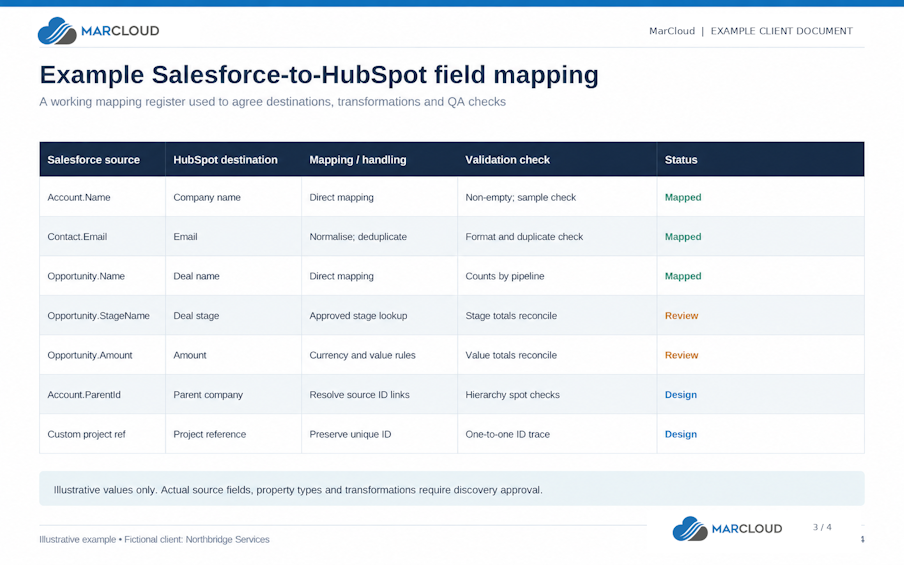
To reduce the risk of data loss, preserve the source (at least in the short term), document every mapping, test representative records, and reconcile the destination against the agreed migration scope.
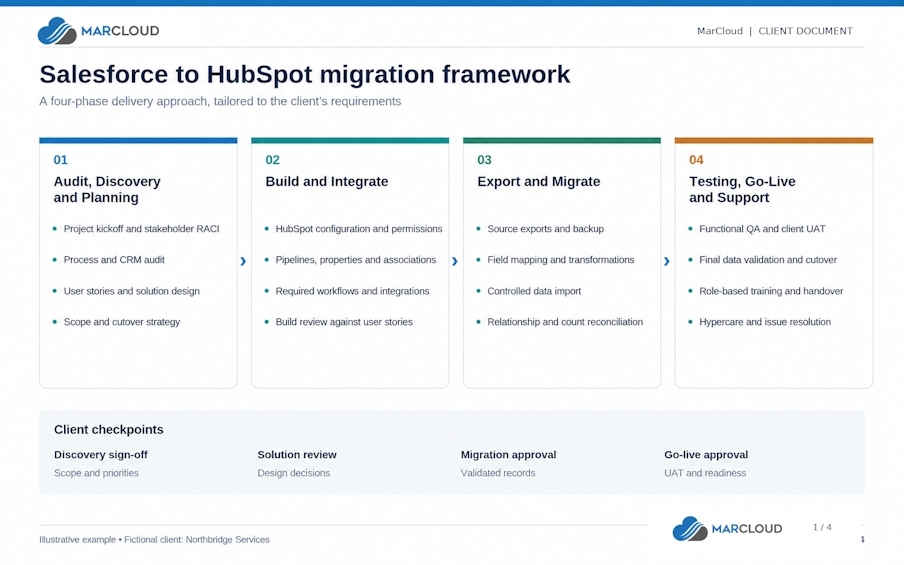
During the third phase, we safely export and migrate the agreed information and assets, rebuilding where required. We agree the historical period and record types in advance, including closed-won opportunities and open or closed business records that your teams still need.
Start with a complete backup or export of the required Salesforce information, checking how your approach handles files, attachments, and relationships. Confirm that your team can retrieve the information and use the recovery process before relying on it.
Include the relevant custom-object definitions, custom fields, existing consent information, and data from other platforms within scope. The export preserves the agreed source information, whilst the migration plan defines which records and assets belong in the live HubSpot portal.
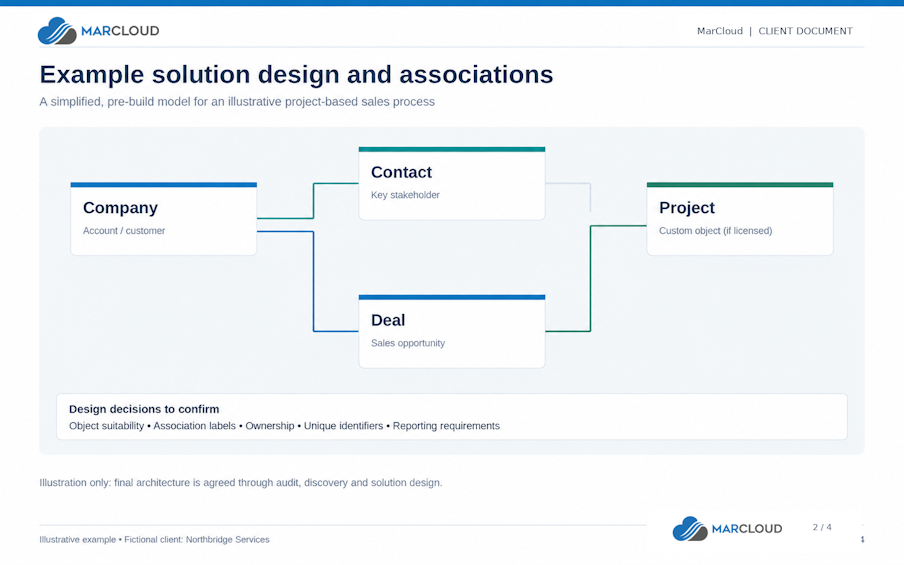
Keep Salesforce identifiers so you can trace records into HubSpot, including cases where you merge several duplicates into one destination record. Your reconciliation should account for successful transfers, approved merges, deliberate exclusions, and errors.
Check what your transfer method preserves
HubSpot’s activity sync documentation explains that emails created through Einstein Activity Capture don’t sync into HubSpot through that integration. If your sales team relies on that history, we need to establish how Salesforce stores it, agree on an appropriate extraction, migration, or access method, and validate that users can retrieve the required information.
Where customer support tickets form part of the scope, the chosen method also needs to account for existing cases. When using the Salesforce integration, enabling case sync only brings records across as users or processes create or update them in Salesforce. Bringing existing support cases into HubSpot requires an import, so historical case coverage should be a specific item in the plan.
Apply the same scrutiny to consent, subscription preferences, and suppression data. During our Scott Logic migration, we preserved consent information and structured it within HubSpot as part of the move from Pardot to Marketing Hub, whilst the business continued using Salesforce CRM.
Reconcile the information
Ask users to open representative records and confirm that they can understand the customer history.
For Sales, reconcile pipeline values by stage, owner, and currency, explaining any differences that follow from agreed clean-up or restructuring. For Service, verify that tickets link to the correct customers and retain the information agents need to continue handling them.
Include awkward records in testing, such as opportunities with several buying contacts, and records belonging to former employees. These checks help you find gaps early and before the team is relying on HubSpot for attribution and reporting.