MarCloudSpeak with a specialist
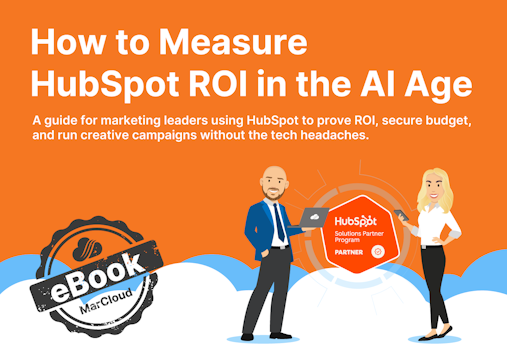
eBook cover with title How to Measure HubSpot ROI in the AI Age
Free ResourceDownload now

When marketing reports aren’t accurate, the instinct is to swap out a filter, try a different date range, or rebuild the dashboard from scratch, and while that sometimes helps, it doesn’t address any underlying problems. Inaccurate reporting is rarely caused by the reports at all.

What we've found, having worked across many HubSpot portals as a Diamond HubSpot Solutions Partner, is that reporting accuracy is the outcome of everything that happens before you build a single dashboard. 

To prove true and accurate return on investment, you need to be confident in the technical foundations of how HubSpot was implemented, how data flows between connected systems, whether lead scoring is doing its job, and how campaigns are structured for tracking. If these elements aren’t working properly, no amount of dashboard redesigning will help.

Why HubSpot reporting can be unreliable

HubSpot reports pull directly from what's stored in your CRM (whether you’re using HubSpot or integrating with Salesforce), which means they reflect whatever data they've been given. If properties are incomplete, contacts are duplicated, or deals are sitting in the wrong pipeline stage, the reports will show all of that because HubSpot has no way of knowing your data is wrong and will simply report what it finds.

You might see attribution crediting a whitepaper download for a deal that was clearly driven by a sales relationship, or notice that MQL numbers are low compared to what the team has been producing, or find that pipeline value in your marketing report is thousands of pounds different from what the Sales Director presented in the same meeting. These kinds of discrepancies are symptoms of issues in how HubSpot has been set up and maintained.

One particularly common trap is HubSpot's default date filtering, where a deal report filtered by "created date" and one filtered by "close date" can produce different numbers for the same quarter, which means you can end up presenting figures that someone else in the room can immediately disprove with their own version of the same report.

Essential technical foundations for HubSpot reports

Integration and how data flows

The average marketing tech stack is 12+, so if data from other systems like your CRM or quoting and invoicing software isn't syncing back to HubSpot, you end up with an incomplete and inaccurate picture of ROI.

It’s vital to decide which systems should be integrated, and which owns which data point. Field mapping matters here because if a field in your ERP is free text but a dropdown in HubSpot, the sync will either fail or produce inconsistent values, both of which feed straight into your reports. For complete confidence in your marketing metrics, you need complete confidence in your integration, data flow, and lead routing.

Implementation and property architecture

Another technical consideration is how HubSpot itself has been configured and maintained. For example, properties that were created ad hoc over time without a consistent naming convention tend to accumulate in every portal, which means that once you start building reports, the inconsistencies multiply. A lifecycle stage might mean one thing to marketing and something slightly different to sales, or users can skip required fields that weren’t set as mandatory, leaving gaps in every report that depends on that data.

Duplicate contacts and companies compound this further, because they inflate conversion metrics, confuse attribution, and make every number less reliable. HubSpot has built-in deduplication tools, but in our experience, these aren’t always utilised.

Data readiness and lead scoring

Research suggests that a whopping 82% of marketers don't trust their own attribution data, and a solution is better data discipline in how deals and contacts are created and associated.

For HubSpot attribution reporting to work accurately, every contact must be associated with the correct deal, every deal associated with the correct company, and every interaction tracked with properly formatted UTM parameters so HubSpot can credit the right channel.

The most common reason this chain breaks is that a sales rep creates a deal on a company record but doesn't associate the specific contact who engaged with marketing, at which point HubSpot has no way to trace the journey from that blog post or email campaign through to closed revenue, and the marketing activity gets no credit at all. 

This gets more complex in B2B, where a buying committee of six to ten people might all influence the decision, but only one or two end up formally associated with the deal in HubSpot, which means attribution can only credit the contacts it knows about, and the degree of marketing influence often goes underreported.

Lead scoring as a reporting prerequisite

HubSpot lead scoring is used as a tool for sales prioritisation, e.g., identifying which leads are most likely to convert, so reps can focus their time accordingly. But lead scoring also plays a role in HubSpot reporting, because without scoring, your reports can tell you how many MQLs marketers generated, but they can't tell you whether those MQLs were any good, and the quality question is the one the C-suite is interested in.

When behavioural and demographic scoring is in place, you can segment reports by lead quality, compare channel performance based on the leads they produce rather than just the volume, and draw a much more direct line between marketing activity and revenue, which also creates a feedback loop where better scoring informs better reporting and better reporting highlights where your scoring model needs refining.

Marketing execution enables accurate HubSpot reporting

Campaign structure and tracking

Even with clean data and solid integrations, HubSpot attribution reports can only contain what's been tracked, which means campaign execution needs to be set up with reporting in mind from the outset. This includes standardised UTM parameters (using a consistent naming convention so that "linkedin_paid", "LinkedIn-Paid", and "Linkedin-Ads" don't show up as three separate channels). The HubSpot tracking URL builder exists specifically for this, so use it consistently to improve reporting accuracy.

Campaign configuration matters too. Associating all relevant assets, such as emails, landing pages, CTAs, blog posts, and ads, means the campaign influence report has the right data to work with.

Don’t forget about offline touchpoints either. Events, phone calls, and direct mail aren’t automatically logged in HubSpot the way an online form submission is. They need manual entry or workflow-driven logging to appear in attribution, and without that step, any channel that operates partly offline will consistently look like it's underperforming.

Multi-touch attribution: Choosing the right model

HubSpot offers a range of attribution models, including first interaction, last interaction, linear, U-shaped, W-shaped, time decay, and full path, and the right choice depends on your sales cycle and how many touchpoints typically happen before a deal closes. 

For most businesses, multi-touch attribution makes sense, especially in B2B, where buying decisions involve multiple contacts and multiple channels over weeks or months. W-shaped attribution is particularly well suited here, too, because it gives 30% credit each to first touch, lead creation, and opportunity creation. No model captures everything perfectly, but multi-touch gets you close enough to make confident budget decisions, which is ultimately the point (it's worth noting this requires Marketing Hub Professional or Enterprise).

Building a HubSpot reporting dashboard for the C-suite

Let’s assume the foundations beneath your reporting are now rock solid. Building dashboards for leadership is a far more straightforward exercise because you're working with data you can trust. 

A best practice for executive dashboards is to prioritise clarity over volume by limiting each dashboard to six to eight visualisations and making sure every metric ties back to a question leadership is actually asking, like "Are we generating enough pipeline to hit target?" rather than "How many form submissions did the ebook get?"

Revenue indicators belong at the top, with supporting metrics beneath them for anyone who wants the detail. Consider metrics such as:

  • Total pipeline value

  • Closed revenue against target

  • Forecast accuracy

  • Marketing ROI

For end-to-end revenue tracking, you ideally want three attribution reports working together: 

  • A ‘contact create’ attribution report showing which channels bring in new contacts

  • A ‘deal create’ attribution report showing which touchpoints influence deal creation

  • A ‘revenue attribution’ report showing which marketing activities delivered revenue

You could also add a custom funnel report that tracks conversion rates between lifecycle stages.

HubSpot's scheduled email feature allows you to send dashboards to specific people on a weekly or monthly cadence without anyone needing to log in, although we recommend giving executives view-only access to protect the report logic, too.

Weekly and monthly HubSpot reports worth tracking

Every week, marketers should be looking at reports on:

  • New leads by source and quality

  • Pipeline movement across deals created, progressed, and closed

  • Campaign engagement

  • Any attribution anomalies worth investigating

Monthly and quarterly reviews shift toward:

  • Revenue attributed to marketing against target

  • Customer acquisition cost by channel

  • Pipeline coverage ratios

  • Win rate trends by lead source

Generally, weekly reports help the team spot issues early and adjust, while monthly and quarterly reports tell the revenue story that earns budget and credibility with the C-suite.

From broken HubSpot reporting to boardroom-ready metrics

Reporting accuracy is the outcome of a staged process rather than a standalone activity, and at MarCloud, we've formalised this into what we call the ROI Framework; a five-stage model proven to ensure every automation project delivers measurable returns.

The stages move from implementation and integration through data readiness and insights, into intelligent marketing execution, and finally to reporting and campaign attribution, with a fifth stage covering AI productivity and ongoing optimisation where reporting insights feed back into the earlier stages. 

The reason the framework is structured this way is that most reporting problems turn out to be implementation problems, data problems, or execution problems that only become visible when you try to report, and identifying which stage is letting you down gives a clear starting point for fixing things rather than patching symptoms at the dashboard level.

Speak to the experts in HubSpot reporting

Trustworthy HubSpot reporting is entirely achievable once you start working through the requirements for marketing metrics you can depend on. When the foundations are right, reports prove marketing impact, earn you budget, credibility, and the freedom to run campaigns without worrying about whether the numbers will hold up in meetings.

MarCloud helps HubSpot customers get end-to-end reporting that proves ROI. Speak with a specialist about your business today.

Tom Ryan headshot

Tom Ryan

Founder & CEO of MarCloud, Tom has been on both sides of the fence, client-side and agency, working with Salesforce platforms for the best part of a decade. He's a Salesforce Marketing Champion and certified consultant who loves to co-host webinars and pen original guides and articles. A regular contributor to online business and marketing publications, he's passionate about marketing automation and, along with the team, is rapidly making MarCloud the go-to place for Marketing Cloud and Salesforce expertise. He unapologetically uses the terms Pardot, Account Engagement and MCAE interchangeably.

More by Tom Ryan

Featured resource

eBook cover with title How to Measure HubSpot ROI in the AI Age

How to Measure HubSpot ROI

A guide for marketing leaders using HubSpot to prove ROI, secure budget, and run creative campaigns without the tech headaches.

Download now
View all resources

More recent posts

View all articles
Illustrated characters holding a MarCloud banner

Get expert Salesforce & HubSpot automation tips, straight to your inbox.

MarCloud is a team of certified Pardot, Marketing Cloud, and Salesforce specialists. We help businesses to unlock the potential of marketing automation. Join 2,000+ professionals who receive actionable insights to boost their automation performance.

Sign up to the newsletter

How to Measure HubSpot ROI

A guide for marketing leaders using HubSpot to prove ROI, secure budget, and run creative campaigns without the tech headaches.

Download now