eBook cover with title How to Measure HubSpot ROI in the AI Age
Free ResourceDownload now

HubSpot lead management is one area where marketing and sales teams feel the most pressure. There’s always a sense that leads might be getting missed, lead quality is challenged, and reporting should be easier to explain in a board meeting. Often, this is because teams are relying on the platform to do all the thinking for them.

Before touching any settings or features in HubSpot, it’s worth stepping back and writing down how you want leads to move through the system. What does a qualified lead look like? What lifecycle stages make sense for your sales process? When should the marketing-to-sales handoff happen? Are quality leads slipping through the cracks?

Lead management works best when the fundamentals are agreed upon. HubSpot can then run the process consistently, qualify leads more accurately, and make reporting easier.

With clean data, clear scoring, and well-defined handoff rules, marketing and sales can focus on the work that moves the business forward rather than debating definitions or correcting dashboards. So, how do you get to that point? Follow these best practices…

Define your lead process

A documented lead management process doesn’t need to be long or complex. It just needs to be clear enough that anyone reviewing it understands how a lead becomes an opportunity and who is responsible at each point. Without this, HubSpot will end up with inconsistent inputs, and you’ll spend more time figuring out issues than improving results.

What your lead management plan should cover

There are a few elements you can’t skip:

Lead definitions

Agree on how you classify contacts throughout the customer lifecycle. For example: Subscriber, Lead, MQL, SQL, and Opportunity. These definitions should be written down, shared, and followed. If people are using different definitions, the data won’t line up.

Qualification criteria

Define what makes someone a good fit. This includes behavioural signals, such as viewing key web pages or filling out forms, as well as profile-based criteria like industry, company size or job seniority.

Lead scoring

Lead scoring works best when it’s grounded in what predicts revenue. High-intent actions should weigh more heavily than general engagement. A practical model often outperforms a complicated one.

Lead handoff rules

Decide what triggers the handoff to sales and what they should do when the lead is received. This includes expected response times and how to update the lead status so marketing has visibility of progress.

CRM integration

If HubSpot integrates with another CRM, such as Salesforce, map out how properties sync, when they sync, and what happens if a conflict appears. Clean integration keeps the data consistent and prevents reporting gaps.

Reporting expectations

Agree upfront on which metrics matter. This might include MQL to SQL conversion, source-level performance, generated pipeline, and marketing-influenced revenue. Setting expectations early prevents arguments over who generated what.

Why clarity speeds things up

When your lead management process is written down and shared, everyone is across it. Leads qualify faster, routing feels more structured, and reporting doesn’t involve digging through mismatched fields. HubSpot becomes the engine that runs the process instead of a place where you try to fill in the gaps and manually update leads. This gives both marketing and sales a clearer view of what’s working and where to adjust next.

HubSpot features that support lead management

Once your process is in place, HubSpot’s native features can support it. These are the areas that tend to make the biggest difference in lead quality and speed.

Lifecycle stages and lead statuses

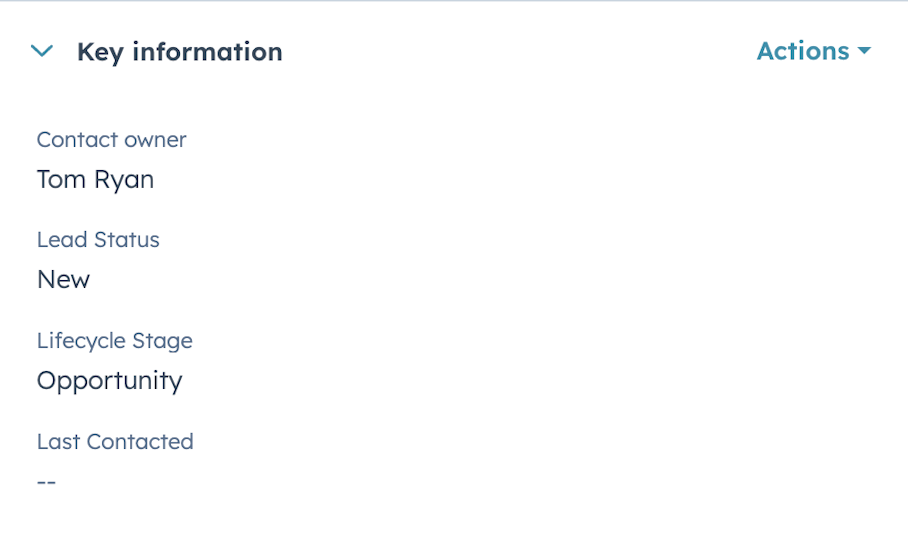
HubSpot’s default stages don’t always match how your organisation works. Creating your own lifecycle stages makes the funnel far more accurate. The same applies to lead status. When statuses are specific and meaningful, you can see at a glance where leads are progressing and where they’re slowing down. This helps you refine campaigns and understand whether sales follow-up is happening consistently.

Screenshot of HubSpot lifecycle and lead status

Lead scoring

Lead scoring is one of the simplest ways to improve conversion. A clear scoring model helps HubSpot surface high-value prospects earlier, which reduces time wasted on low-intent contacts. Good scoring models combine behavioural signals with profile fit, so sales receives leads with both interest and relevance. This also helps marketing refine targeting over time, because you can see which actions have the strongest link to closed revenue.

Lead Scoring requires Marketing Hub Professional or Enterprise plans and users must have Lead Scoring permissions enabled.

Automated assignment

Lead assignment is one area where automation significantly reduces manual effort. HubSpot workflows can route leads based on region, industry, persona, product interest or score. This keeps things moving and prevents leads from sitting unassigned for long periods. Faster assignment generally means faster follow-up, which improves conversion without changing anything else in the funnel.

Qualification playbooks

Available to Sales Hub Professional users, Playbooks give sales teams a structured way to record qualification notes. They’re especially useful when you want every rep to ask the same questions and capture the same information. The benefit is twofold: the CRM data becomes more reliable, and the business has a consistent view of what “qualified” means. This keeps marketing and sales aligned, especially during reviews of MQL quality.

Tools for tracking and qualifying high-value leads

HubSpot gives marketing teams a range of tools to track engagement, segment audiences and keep visibility of high-value leads.

Custom properties and clean data

Custom properties help you capture the information your business needs. This could include intent signals, product interest categories, Ideal Customer Profile (ICP) fit or specific qualification fields. When combined with data validation rules, these properties help maintain clean, usable data. Clean HubSpot data leads to better segmentation, smoother reporting and fewer manual workarounds.

Segments and lists

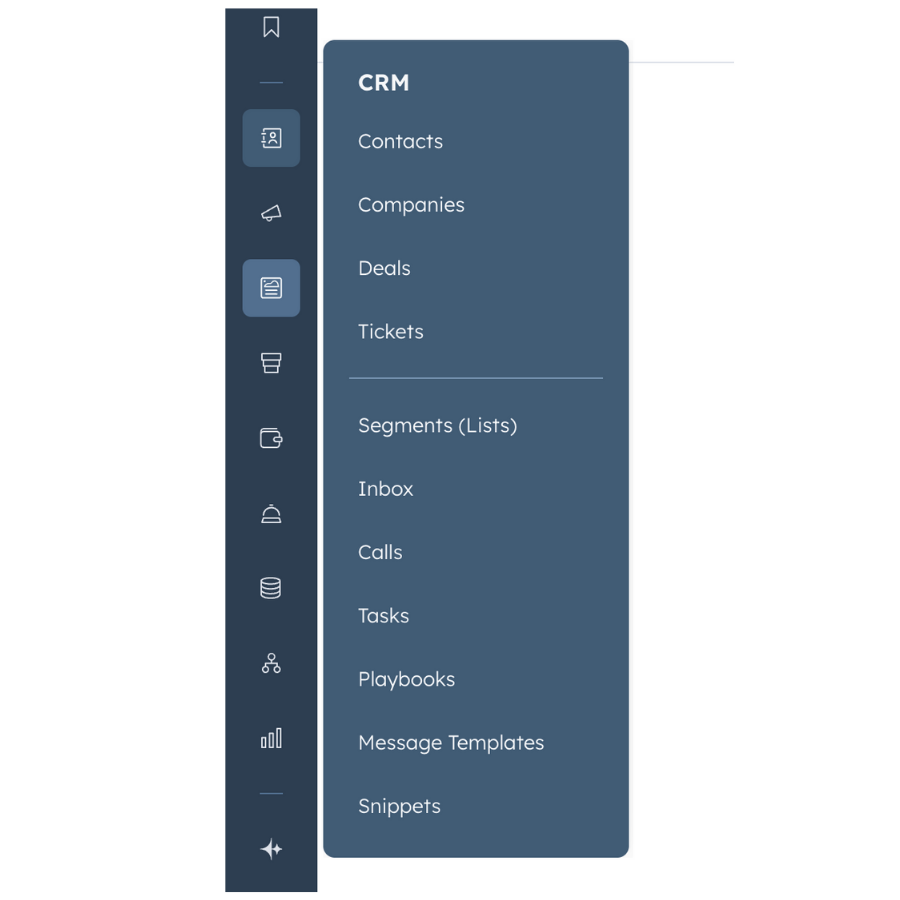
Segmentation is central to good lead management. HubSpot’s Segments feature allows you to group contacts based on behaviour, profile fit, score, or lifecycle stage. These lists update automatically, which makes nurturing more accurate. It also helps surface leads who are showing signs of interest but haven’t yet crossed the threshold for handoff.

Screenshot of Segments feature in HubSpot

Pipeline visibility for marketing

When marketing can see how leads progress through deals, patterns become clearer. You can spot which channels bring in opportunities with strong close rates, where leads tend to stall, and which personas move fastest. This helps marketing teams plan budgets and campaigns with a more informed view of revenue impact.

Sales workspace

The HubSpot Sales Workspace brings together tasks, follow-ups, engagement history and recent activity. It’s especially useful for teams handling a mix of inbound and outbound leads. The main benefit is the visibility: you can see which contacts need attention today, which ones are warming up, and which tasks are overdue.

Connecting HubSpot with your tech stack

Even the best HubSpot lead management process can break down if integrations aren’t managed carefully. Property mapping, syncing rules and naming conventions all influence how clean your data stays and how well you can report on lead progress.

Integration rules

To keep systems aligned, make sure that:

  • Lifecycle stages match across platforms

  • Required fields are set up correctly

  • Sync rules make sense (not default)

  • Naming conventions are simple and consistent

  • Integrations are checked regularly for conflicts

Small inconsistencies in HubSpot integrations can be the reason reports don’t match or why certain fields appear incomplete.

Useful integrations

Several integrations help strengthen HubSpot lead quality:

  • Salesforce CRM - Common in larger teams. A clean sync helps both departments work from the same source of truth.

  • Ads integrations - Useful for connecting ad campaigns directly to pipeline and attributing revenue.

  • Event platforms - Webinars, demos, and workshops often bring in high-intent leads. Integrations help surface that quickly.

  • Data enrichment tools - These fill in missing details and help lead qualification.

How to Measure HubSpot ROI

A guide for marketing leaders using HubSpot to prove ROI, secure budget, and run creative campaigns without the tech headaches.

  • Common challenges
  • HubSpot ROI framework
  • Five-step process
  • Implementation
  • Marketing execution
  • Campaign attribution
HubSpot ROI eBook
eBook cover with title How to Measure HubSpot ROI in the AI Age

Reliable HubSpot reporting

Reliable reporting gives marketing teams confidence in conversations about ROI. HubSpot provides a range of reports that help connect activity to pipeline and revenue.

Key HubSpot reports

Some of our favourite HubSpot reports include:

  • Movement through lifecycle stages

  • MQL to SQL conversion

  • Marketing-influenced revenue

  • Performance by source

  • Multi-touch attribution

  • Lead ageing and velocity

These reports prove which activities support revenue and where adjustments are needed.

Dashboard essentials

A good HubSpot dashboard will include a mix of funnel performance, attribution models, campaign-level data and revenue insight. The aim is to reduce manual analysis and give the business an instant view of progress. When dashboards are clear and reliable, it becomes much easier to secure future budget and highlight the contribution of marketing-led activity.

Common mistakes in HubSpot lead management

In our experience supporting clients with HubSpot management, a few issues tend to appear repeatedly. These are:

  • relying on HubSpot’s default stages

  • skipping alignment with sales

  • overcomplicating the scoring model

  • testing workflows in live environments

  • working with incomplete or inconsistent fields

Avoiding these keeps your account running smoothly and reduces the amount of maintenance required.

When to bring in a HubSpot partner

Sometimes you need support beyond what the team can do internally, especially when multiple systems, regions or product lines are involved. A HubSpot Partner will help design the overall lead management process, configure HubSpot correctly, audit workflow performance and build dashboards that reflect how your business measures success. This frees up internal teams to focus on strategy, creative work, and scaling over time.

Contact MarCloud for a chat about your lead management or other HubSpot support.

Tom Ryan headshot

Tom Ryan

Founder & CEO of MarCloud, Tom has been on both sides of the fence, client-side and agency, working with Salesforce platforms for the best part of a decade. He's a Salesforce Marketing Champion and certified consultant who loves to co-host webinars and pen original guides and articles. A regular contributor to online business and marketing publications, he's passionate about marketing automation and, along with the team, is rapidly making MarCloud the go-to place for Marketing Cloud and Salesforce expertise. He unapologetically uses the terms Pardot, Account Engagement and MCAE interchangeably.

More by Tom Ryan

Featured resource

eBook cover with title How to Measure HubSpot ROI in the AI Age

How to Measure HubSpot ROI

A guide for marketing leaders using HubSpot to prove ROI, secure budget, and run creative campaigns without the tech headaches.

Download now
View all resources

More recent posts

Coloured background with text Boosting Lead Conversion in Salesforce Account Engagement

Boosting Lead Conversion in Salesforce Account Engagement

To improve lead and sales conversions in Salesforce Account Engagement, focus on three core areas: clean data and strong integrations, shared lifecycle stages between marketing and sales, and targeted nurture journeys in Engagement Studio. Reliable field mappings, consistent scoring and grading, and a smooth automated handoff help ensure leads reach sales at the right moment. Combined with personalisation, intent signals, and clear reporting in Salesforce, these steps create a predictable, measurable path to higher conversion rates.

Coloured background with text How to Implement Custom Salesforce Marketing Cloud Reporting

How to Implement Custom Salesforce Marketing Cloud Reporting

To implement custom Salesforce Marketing Cloud reporting, start with clean data and consistent tracking across campaigns and journeys. Define the ROI questions you need to answer, map how Marketing Cloud data flows into Salesforce, and build dashboards that show campaign influence, journey performance, and revenue impact. Choose an attribution model that fits your sales cycle, validate the insights with stakeholders, and refine your marketing based on what genuinely drives pipeline and revenue.

View all articles
Illustrated characters holding a MarCloud banner

Get expert Salesforce & HubSpot automation tips, straight to your inbox.

MarCloud is a team of certified Pardot, Marketing Cloud, and Salesforce specialists. We help businesses to unlock the potential of marketing automation. Join 2,000+ professionals who receive actionable insights to boost their automation performance.

Sign up to the newsletter

How to Measure HubSpot ROI

A guide for marketing leaders using HubSpot to prove ROI, secure budget, and run creative campaigns without the tech headaches.

Download now