While HubSpot and Salesforce platforms are central to most automation strategies, none provides full native SMS functionality. Even Marketing Cloud Engagement, which offers SMS via the Mobile Studio, has limitations. Mobile Studio is built for large-scale, one-to-many SMS campaigns and Journey-based messaging, not fast, two-way sales conversations.
As a result, organisations often integrate with an external SMS provider to enable compliant, automated messaging directly within Salesforce CRM. For example, Salesmsg is purpose-built for two-way, compliant SMS inside HubSpot and Salesforce, giving sales teams an inbox-style experience that’s designed for real conversations.
And when SMS is fully integrated into HubSpot or Salesforce, it becomes part of the wider customer journey rather than a separate communication channel. Salesmsg supports both HubSpot and Salesforce natively, teams can standardise SMS workflows, reporting, and compliance across platforms without rebuilding processes. Messages can be triggered by CRM activity, logged automatically against records, and measured alongside emails, calls, and meetings. This makes SMS particularly effective for follow-ups, reminders, and time-sensitive updates, without relying on manual outreach or disconnected tools.
The role of an SMS provider
SMS delivery is typically handled by specialist providers rather than a CRM platform like Sales Cloud. Integrating with an SMS provider allows businesses to send and receive messages reliably, manage opt-outs, and maintain compliance, while keeping all activity visible within the CRM.
At a technical level, SMS providers manage:
Carrier connectivity and deliverability
Number provisioning and pooling
Regional compliance rules
Opt-out handling at carrier level
Message throughput and reliability
At a user level, they usually offer:
A conversation-style inbox
Notifications for replies
Simple templates for common messages
Controls that feel familiar to sales teams
Importantly, the CRM remains the system of record, while the SMS provider manages delivery and carrier-level requirements in the background.
Common SMS use cases
For sales teams, SMS is most effective when it removes friction from existing processes. Examples include:
Following up after a form submission or demo request
Confirming meeting times or sharing joining links
Re-engaging stalled opportunities with a light, human nudge
Sending quick clarifications without another email thread
Marketing teams typically see value in SMS where timing matters more than length:
Event reminders and last-minute updates
Webinar attendance nudges
Deadline-driven offers or confirmations
Simple post-campaign follow-ups
Service and customer success teams often use SMS to improve responsiveness:
Appointment confirmations and reminders
Delivery or onboarding updates
Support ticket acknowledgements
Time-sensitive service notifications
In all cases, the strongest results come from SMS supporting an existing workflow, not trying to carry the full conversation alone. This is why tight CRM integration is so important.
Key setup considerations
A well-designed setup ensures the correct phone numbers are used, messages are triggered at the right points in workflows or flows, and replies are written back to the relevant records.
Consent management is also critical. Without clear rules around who can be contacted and when, SMS can quickly become difficult to govern or scale.
SMS works best when it is treated as an extension of your existing CRM architecture, not a standalone add-on. That means aligning it with your data model, automation logic, and reporting requirements in HubSpot or Salesforce.
This is often where implementation support adds the most value, helping define use cases, configure the integration properly, and ensure SMS data is usable across teams.
Be sure to plan your integration in full before you start the technical work, or enlist the support of a HubSpot and Salesforce Partner.
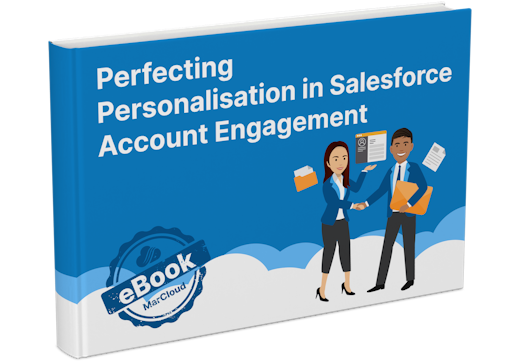
Free Perfecting Personalisation Guide
To make personalisation easier for marketers using Salesforce Account Engagement, we’ve put together an entire ebook that outlines the strategies and tools for perfecting personalisation.
- Personalisation strategy
- Lifecycle marketing
- Journey mapping
- Top personalisation features
- Personalisation challenges
- Expert tips & best practices

Data & reporting considerations
One of the biggest missed opportunities with SMS is reporting. When SMS lives outside the CRM, it becomes difficult to understand how it contributes to outcomes such as marketing ROI.
A well-integrated setup allows teams to answer practical questions, such as:
Which messages actually receive replies?
Does SMS improve meeting attendance?
Are deals progressing faster after SMS follow-ups?
How does SMS perform compared to email at each stage?
To achieve this, SMS activity needs to be:
Logged against the correct contact, lead, or opportunity
Time-stamped accurately
Categorised consistently
Included in existing dashboards and reports
This is where alignment with your data model matters. If phone numbers are stored inconsistently, or contacts and leads are fragmented, SMS data quickly becomes unreliable.
If you are exploring SMS as part of your CRM strategy, MarCloud can help design and implement an approach that supports long-term growth and better return on investment. Send a message to our specialists and we’ll be in touch very soon.

Jake Harrison
Jake is a Business Strategist and Data Apprentice and has a strong interest in analytics and statistics.
More by Jake HarrisonFeatured resource

Perfecting Personalisation in Account Engagement
To make personalisation easier for marketers using Salesforce Account Engagement, we’ve put together an entire ebook that outlines the strategies and tools for perfecting personalisation across the customer lifecycle.
Download now