What is Data Loader?
Data Loader is a Salesforce tool designed to handle bulk data operations. It allows users to insert, update, delete, upsert, or export Salesforce records using structured files such as CSV files. Because it can process large numbers of records at once, Data Loader is commonly used by Salesforce administrators and developers when migrating data, updating records in bulk, or exporting information for reporting or backup purposes.


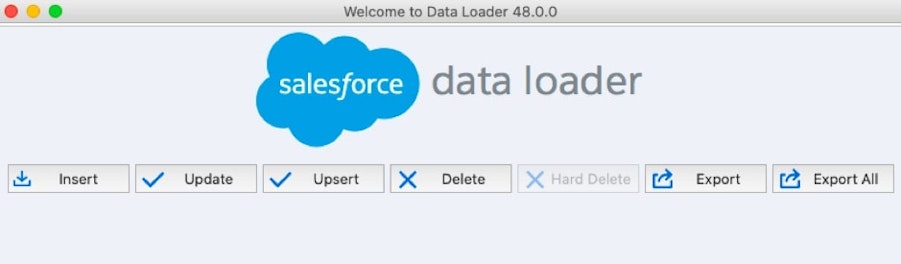
Data Loader in context
Managing data is a core part of running a CRM system. Businesses often need to import data from other systems, update existing records, or export information for analysis and reporting.
While Salesforce includes simpler import tools, these typically work best with smaller datasets. Data Loader is designed for situations where teams need to handle larger volumes of records or more complex data operations.
The application is installed locally on a computer and connects to Salesforce through the platform’s API. Once connected, users can upload data files, map fields to Salesforce objects, and run bulk data operations.
Because it works with both standard and custom objects, Data Loader is widely used during Salesforce implementations, data migrations, and ongoing data maintenance.
Why Data Loader?
As organisations scale their Salesforce environments, managing data manually becomes impractical.
Data Loader supports CRM data management by enabling teams to:
import large volumes of records efficiently
update existing records in bulk
remove outdated or duplicate data
export Salesforce data for reporting or backups
migrate data between systems or environments
These capabilities make it easier to maintain accurate and consistent data across the Salesforce platform.
How it works
Data Loader performs bulk operations by processing structured data files and interacting with Salesforce through its API.
A typical process involves:
Preparing a data file – Data is organised in a CSV file with columns matching Salesforce fields
Selecting an operation – Users choose whether to insert, update, delete, export, or upsert records
Field mapping – Columns in the data file are mapped to Salesforce object fields
Running the operation – The tool processes the data and updates Salesforce records
Reviewing results – Success and error logs show which records were processed correctly
Because the tool processes records in bulk, it is often used for large datasets that would be difficult to manage through the Salesforce interface.
Comparisons
Data Loader vs Data Import Wizard
The Data Import Wizard is a browser-based tool designed for simpler imports and smaller datasets.
Data Loader provides more advanced capabilities and can process much larger volumes of records and more complex data operations.
Data Loader vs Data Cloud
Data Loader is used for moving and managing Salesforce data records.
Data Cloud focuses on unifying customer data from multiple systems to create a central customer profile.
Data Loader vs manual data entry
Manual data entry involves updating records individually within the CRM interface.
Data Loader allows teams to process thousands or millions of records simultaneously, significantly reducing the time required for large updates.
FAQs
What is Data Loader used for in Salesforce?
Data Loader is used to import, export, update, or delete large volumes of records in Salesforce.
Who typically uses Data Loader?
Salesforce administrators, developers, and data teams often use it to manage large datasets or perform data migrations.
What file formats does Data Loader support?
Data Loader commonly works with CSV files, which contain structured rows of data mapped to Salesforce fields.
When should you use Data Loader instead of the Data Import Wizard?
Data Loader is usually preferred when working with large datasets, complex data relationships, or custom objects.
Can Data Loader automate data operations?
Yes. The tool can run through a command-line interface to automate scheduled data imports or exports.
Capabilities & More information
Capabilities of Salesforce
Common use cases include:
- Bulk data import and export for Salesforce records
- Tools to insert, update, delete, or upsert data
- Support for CSV files
- Scheduling options for automated data processing tasks
- Error logging and troubleshooting for failed operations
- Support for custom objects and fields in Salesforce
- Integration with Salesforce APIs
- Ability to process large datasets
Learn more about Salesforce
Resources and further reading...